


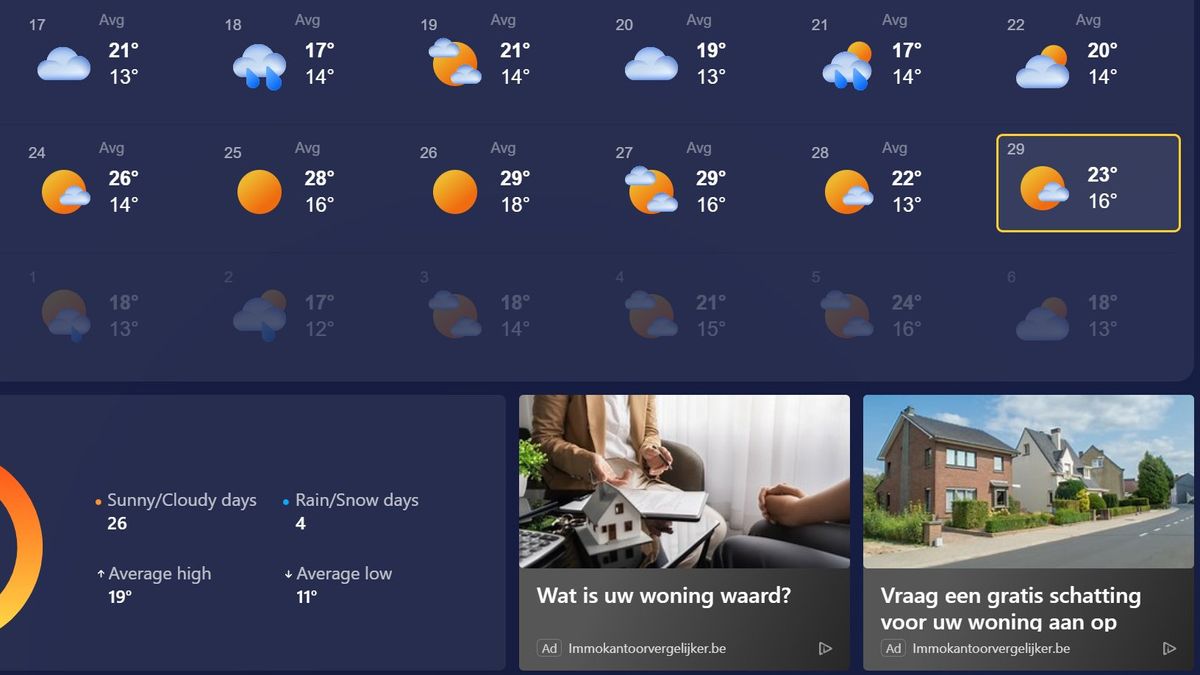
Weather forecasting has become an essential part of everyday life, influencing decisions ranging from travel plans to business operations. In the digital age, reliable weather services are more important than ever. Among the many weather platforms available today, Microsoft Weather stands out as a powerful, user-friendly, and data-rich solution. Integrated across multiple Microsoft platforms, it provides accurate forecasts, real-time updates, and visually appealing interfaces.
This article explores Microsoft Weather in depth, including its history, features, technology, platforms, benefits, and how it compares to other weather services.
What is Microsoft Weather?
Microsoft Weather is a weather forecasting service developed by Microsoft. It is primarily available through the Microsoft Start platform, Windows operating systems, and mobile apps. The service delivers real-time weather updates, forecasts, maps, and severe weather alerts.
It is designed to be both informative and easy to use, making it accessible for casual users as well as professionals who rely on weather data.
Evolution of Microsoft Weather
Early Beginnings
Microsoft Weather traces its origins to the MSN Weather service, which was part of Microsoft’s MSN (Microsoft Network) web portal. Initially, it served as a simple weather information page providing basic forecasts and temperature updates.
Transition to Modern Platforms
With the introduction of Windows 8 and later Windows 10, Microsoft revamped its weather service into a dedicated app. The focus shifted toward:
- Rich visuals
- Interactive maps
- Personalized forecasts
Integration with Microsoft Start
Today, Microsoft Weather is deeply integrated into Microsoft Start, a personalized news and information feed. This integration allows users to access weather updates alongside news, finance, and lifestyle content.
Key Features of Microsoft Weather
1. Real-Time Weather Updates
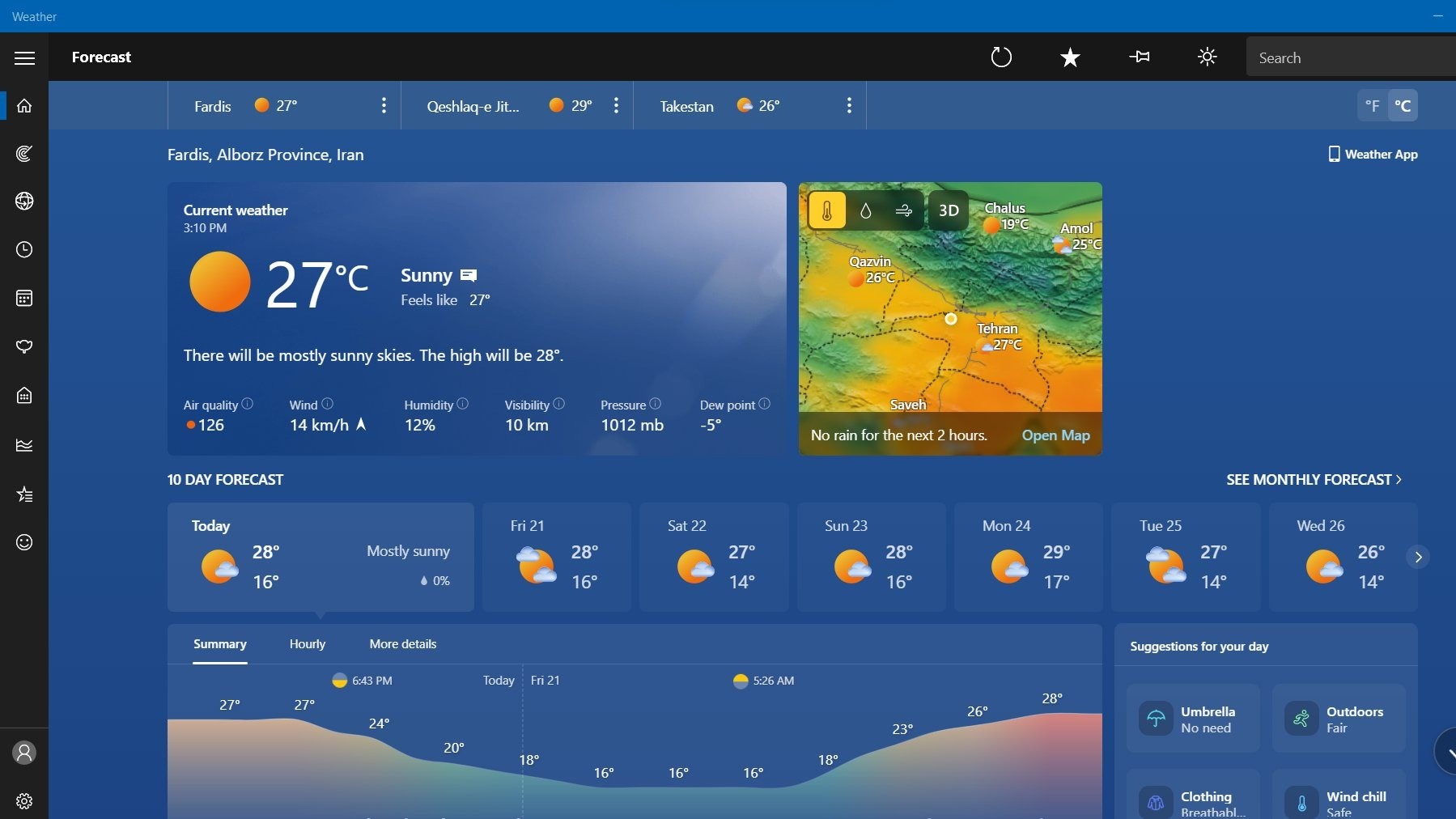
Microsoft Weather provides up-to-the-minute weather data, including:
- Current temperature
- Feels-like temperature
- Wind speed and direction
- Humidity levels
- Visibility
These updates ensure users always have accurate and timely information.
2. Hourly and 10-Day Forecasts
The platform offers detailed forecasts, including:
- Hour-by-hour predictions for the current day
- Extended forecasts for up to 10 days
This helps users plan activities such as travel, outdoor events, and work schedules.
3. Severe Weather Alerts
Microsoft Weather keeps users safe by providing alerts for:
- Storms
- Heavy rainfall
- Snowfall
- Heatwaves
- Flood warnings
These alerts are especially useful in regions prone to extreme weather conditions.
4. Interactive Weather Maps
One of the standout features is its interactive maps, which display:
- Radar imagery
- Precipitation patterns
- Temperature variations
- Cloud movement
Users can zoom in and explore weather conditions in specific locations.
5. Air Quality Index (AQI)
The service includes air quality information, which is increasingly important in urban environments. It shows:
- Pollution levels
- Health recommendations
- AQI ratings
6. Lifestyle and Health Insights
Microsoft Weather goes beyond basic forecasts by offering lifestyle insights such as:
- UV index levels
- Pollen count
- Running and outdoor activity suggestions
7. Multiple Location Tracking
Users can track weather in multiple cities simultaneously. This is useful for:
- Travelers
- Business professionals
- Families with members in different regions
Platforms Supporting Microsoft Weather
Windows Devices
Microsoft Weather is pre-installed on many Windows systems. It integrates seamlessly with:
- Windows 10
- Windows 11
Users can pin weather updates to their taskbar or widgets panel.
Web Platform
The service is accessible via browsers through Microsoft Start, providing:
- Full weather dashboards
- Interactive features
- Personalized feeds
Mobile Applications
Microsoft Weather is available on:
- Android devices
- iOS devices
The mobile apps offer a smooth experience with push notifications for alerts.
Technology Behind Microsoft Weather
Data Sources
Microsoft Weather gathers data from multiple trusted meteorological sources. These include:
- Global weather stations
- Satellite data
- Radar systems
This multi-source approach improves accuracy and reliability.
Artificial Intelligence and Machine Learning
Microsoft uses AI and machine learning to:
- Analyze weather patterns
- Improve forecast accuracy
- Personalize user experiences
These technologies allow the system to adapt and provide smarter predictions over time.
Cloud Computing
Microsoft Azure plays a crucial role in powering Microsoft Weather. The cloud infrastructure enables:
- Fast data processing
- Real-time updates
- Scalability for millions of users
User Interface and Experience
Clean and Modern Design
Microsoft Weather is known for its visually appealing interface, featuring:
- High-quality background images
- Simple layouts
- Easy navigation
Customization Options
Users can personalize their experience by:
- Adding favorite locations
- Switching between Celsius and Fahrenheit
- Choosing notification preferences
Accessibility
The platform is designed to be accessible for all users, including:
- Screen reader compatibility
- Clear typography
- Intuitive controls
Benefits of Using Microsoft Weather
1. Accuracy
Thanks to multiple data sources and AI integration, Microsoft Weather provides highly reliable forecasts.
2. Convenience
Being integrated into Windows and Microsoft Start makes it easily accessible without needing third-party apps.
3. Comprehensive Data
From temperature to air quality, users get a complete picture of weather conditions.
4. Free to Use
Most features of Microsoft Weather are available at no cost, making it accessible to a wide audience.
5. Cross-Platform Availability
Users can access the service across devices, ensuring consistency and convenience.
Microsoft Weather vs Other Weather Services
Comparison with Google Weather
- Microsoft Weather offers richer visuals and detailed maps.
- Google Weather is simpler but less feature-rich.
Comparison with AccuWeather
- AccuWeather focuses heavily on precision forecasting.
- Microsoft Weather provides a more integrated ecosystem experience.
Comparison with The Weather Channel
- The Weather Channel offers extensive global coverage and news.
- Microsoft Weather excels in user interface and integration.
Use Cases of Microsoft Weather
Daily Planning
Individuals use Microsoft Weather to plan their day, including:
- Commutes
- Outdoor activities
- Clothing choices
Travel Planning
Travelers rely on forecasts to:
- Choose destinations
- Pack appropriately
- Avoid bad weather
Business Applications
Industries such as agriculture, logistics, and construction use weather data to:
- Optimize operations
- Reduce risks
- Improve efficiency
Challenges and Limitations
Dependence on Internet
Microsoft Weather requires an internet connection for real-time updates.
Regional Accuracy Variations
Forecast accuracy may vary depending on location and available data sources.
Limited Advanced Tools
Compared to professional meteorological platforms, it lacks some advanced analytical tools.
Future of Microsoft Weather
Enhanced AI Capabilities
Future updates may include:
- More precise predictions
- Personalized weather recommendations
Integration with Smart Devices
Microsoft Weather could integrate with:
- Smart home systems
- Wearable devices
Expanded Environmental Data
The platform may include additional data such as:
- Climate trends
- Environmental impact insights
Tips for Getting the Most Out of Microsoft Weather
- Enable notifications for severe weather alerts
- Add multiple locations for better tracking
- Use interactive maps for deeper insights
- Check hourly forecasts for short-term planning
Conclusion
Microsoft Weather is a powerful and versatile weather forecasting service that combines accuracy, usability, and modern technology. Whether you are planning your daily routine, traveling, or managing business operations, it offers the tools and information needed to stay informed.
With continuous improvements driven by AI and cloud computing, Microsoft Weather is poised to remain a leading choice in the world of digital weather services. Its seamless integration across platforms and user-friendly design make it an essential tool for anyone looking to stay ahead of the weather.
In a world where weather conditions can change rapidly, having a reliable service like Microsoft Weather ensures that you are always prepared.
